

In January 2024, telco and IPTV services accounted for 3,690,360 paid subscriptions in Canada, up 5% from 3,517,281 a year earlier, while total paid television subscriptions fell 3%, from 9,976,228 to 9,725,802, according to Canadian industry figures compiled by thinkTV. IPTV was about 38% of those paid subscriptions. Cable fell 6% and satellite fell 9%.
Those counts describe television on a telecom network, not a stack of standalone streaming apps. If you're weighing an IPTV Smart TV Canada setup, the tests that matter are concurrent screens, evening throughput at the TV, and whether the household bill falls once sports and duplicates are written down.
Table of Contents
- What IPTV Means on a Canadian Smart TV
- Which Smart TVs and Streaming Devices Work With IPTV
- Bandwidth and Latency Needs for Multi-Screen Homes
- How to Set Up IPTV on Your Smart TV Step by Step
- Live TV, Programme Guides and On-Demand Explained
- Checking Sports, Rights and Reliability Before You Pay
- Working Out the Real Monthly Cost at Home
- Test ROVE IPTV on Your Own TV Before You Subscribe
- Frequently Asked Questions About IPTV on Smart TVs in Canada
What IPTV Means on a Canadian Smart TV
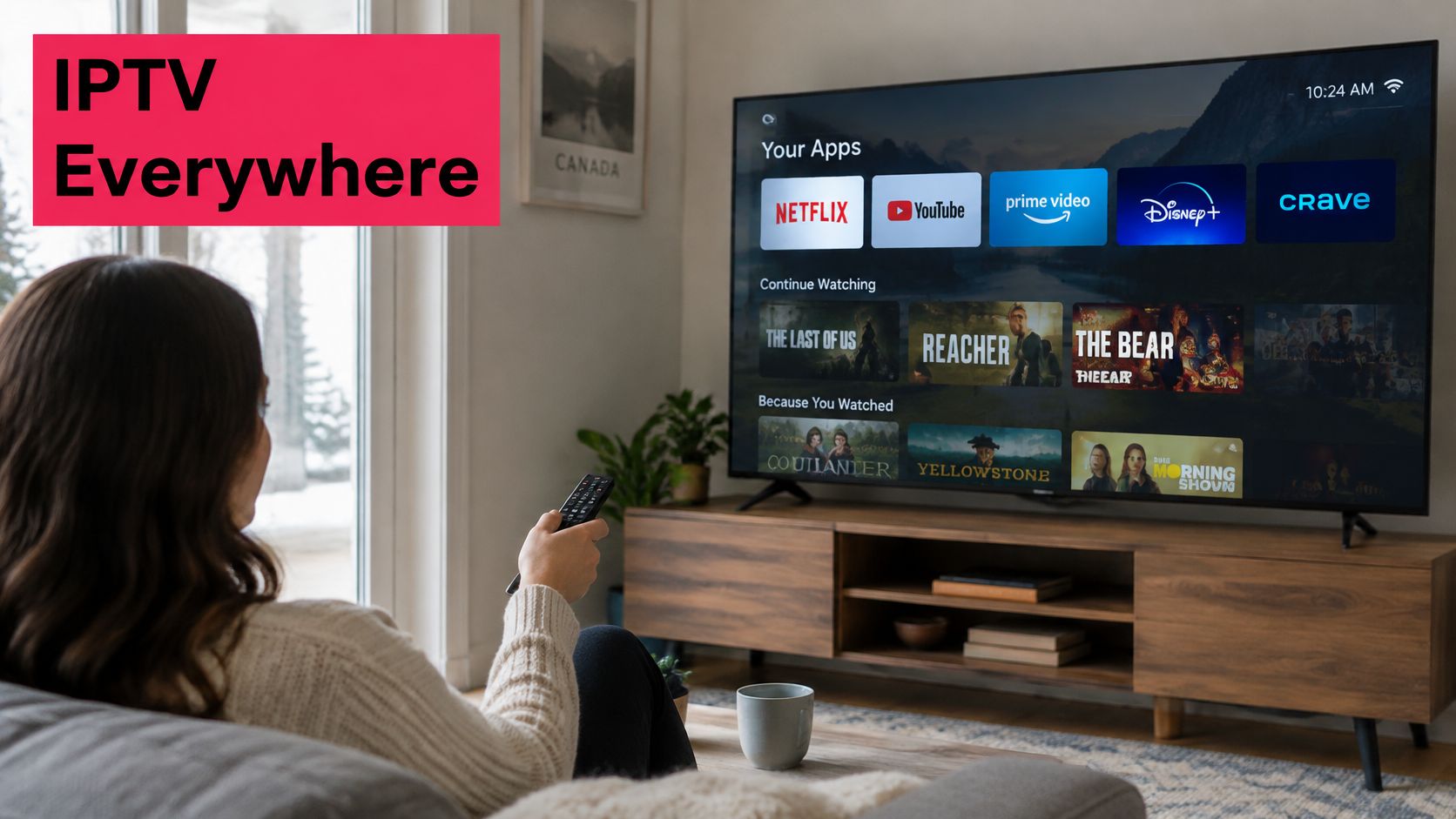
Picture a Saturday in a Mississauga bungalow. One television is on a hockey game, a phone is on a film, and the cable box is unplugged. IPTV is television delivered over the internet instead of through a cable line or a satellite dish.
Cable is a fixed delivery route. It brings every channel to the door whether anyone watches it or not. IPTV works more like a library card. You choose what to open, when, and on which screen.
Two products people mix up
Telco IPTV, such as Bell Fibe TV or TELUS Optik TV, runs on that provider's own network and usually arrives with the home internet package. An independent IPTV subscription rides the household's ordinary internet connection. Picture quality then follows your line, your Wi-Fi, and the player, not a dedicated path from the phone company.
What you receive is live channels, a programme guide, on-demand titles, and sports, shown through an app or player.
Who it fits
A home with one or two Smart TVs, a steady connection, and a written channel list is a fair candidate. A home that rarely watches live TV, and already finishes the evening on one or two on-demand apps, may not need another bill.
Which Smart TVs and Streaming Devices Work With IPTV
80% of Canadians lived in a home with a Smart TV in 2025, based on Canadian industry data cited by thinkTV in Roku's Canadian viewing research. The same source defines connected-TV viewing as video streamed to a television with built-in internet, or through an external device such as a Roku or Amazon Fire TV Stick. Roku's Canadian research also reported Smart TVs were used by 78% of streamers in 2023, up from 75% in 2022, and that 69% preferred the living-room television.
A set with built-in connectivity can run an app on its own platform. An older screen needs an HDMI device. The brand on the bezel doesn't decide the path. The operating system and app store do.
Device paths
| Device path | How the app reaches the screen | Typical setup effort | Best suited to |
|---|---|---|---|
| Built-in Smart TV app | Installed on the TV's own platform | Low to moderate | Single-TV homes that want no extra hardware |
| Amazon Fire TV Stick | Player app on an HDMI stick | Low | Older TVs with a free HDMI port |
| Roku | Player app from the Roku channel store, where available | Low | Roku households and bedroom TVs |
| Android TV or Google TV | Player app from the Google Play store | Low | Android-based TVs and boxes |
| Apple TV | Player app from the App Store, where available | Low | Apple households |
| Chromecast | Casting from a phone or tablet | Moderate | Short trials and second screens |
| MAG box or Formuler | Dedicated set-top player with portal settings | Moderate to high | Users who want dedicated hardware |
Before you buy hardware, confirm the TV's operating system and which store it opens. A player app can still need a provider portal or an activation code. Our service works on Smart TVs, Firestick, MAG Box, Formuler, Chromecast, Apple TV, and Roku, and a stick that behaves for one provider can fail on another.
A free HDMI port plus a current streaming stick is usually a cleaner fix than forcing an app onto a TV whose store doesn't list it.
If the Fire TV path is yours and you also keep a media-centre app on that stick, you can simplify your Firestick Kodi setup before you add a second player. Don't sideload files from a site you can't name.
Bandwidth and Latency Needs for Multi-Screen Homes
A three-screen evening is where the gap appears between an advertised speed and a usable one. Typical streaming bitrates land around 3 to 5 Mbps for standard definition, 5 to 8 Mbps for HD, and about 25 Mbps for a single 4K stream. Treat those as planning figures per active screen, not as a package headline.
| Stream type | Sustained bitrate | Example | Capacity to reserve |
|---|---|---|---|
| Standard definition | 3 to 5 Mbps | One SD channel | 3 to 5 Mbps |
| HD | 5 to 8 Mbps | One HD channel | 5 to 8 Mbps |
| Ultra HD or 4K | About 25 Mbps | One 4K stream | About 25 Mbps |
| Two HD plus one 4K | 35 to 41 Mbps combined | Typical three-screen evening | 35 to 41 Mbps before overhead |
| Same household with 20 to 30 percent margin | About 42 to 53 Mbps combined | Recommended planning target | 42 to 53 Mbps |
Two HD streams plus one 4K stream need roughly 35 to 41 Mbps before Wi-Fi overhead, updates, and gaming. A 20 to 30 percent margin lifts the household target to about 42 to 53 Mbps. A national broadband target is a floor, not a promise for several screens at once. Interference and evening congestion change the result.
Latency, not just megabits
CRTC fixed-broadband testing found fibre connections averaged about 4 ms peak-hour latency, against about 12 ms for DSL and 14 ms for cable. Those are averages for the tested lines, not a guarantee for your address at 8 p.m. Once latency climbs, channel changes and guide refreshes feel sluggish even when a speed test looks healthy.
High throughput can hold a 4K picture while a cloud backup still delays channel changes and guide refreshes. For live sports, pause large downloads, turn on router traffic prioritisation if the router offers it, and use Ethernet for the main TV. A dedicated 5 GHz or 6 GHz network is the next best link for primary sets. Adaptive bitrate can drop to a lower picture when throughput falls. It cannot invent capacity that is not there.
If the picture stalls only after dinner, measure at the TV during those hours with other devices online, then read why an IPTV stream keeps freezing before you blame the channel.
How to Set Up IPTV on Your Smart TV Step by Step
Block one evening. Step-by-step setup instructions come with every subscription, and 24/7 customer support is there if a step fails.
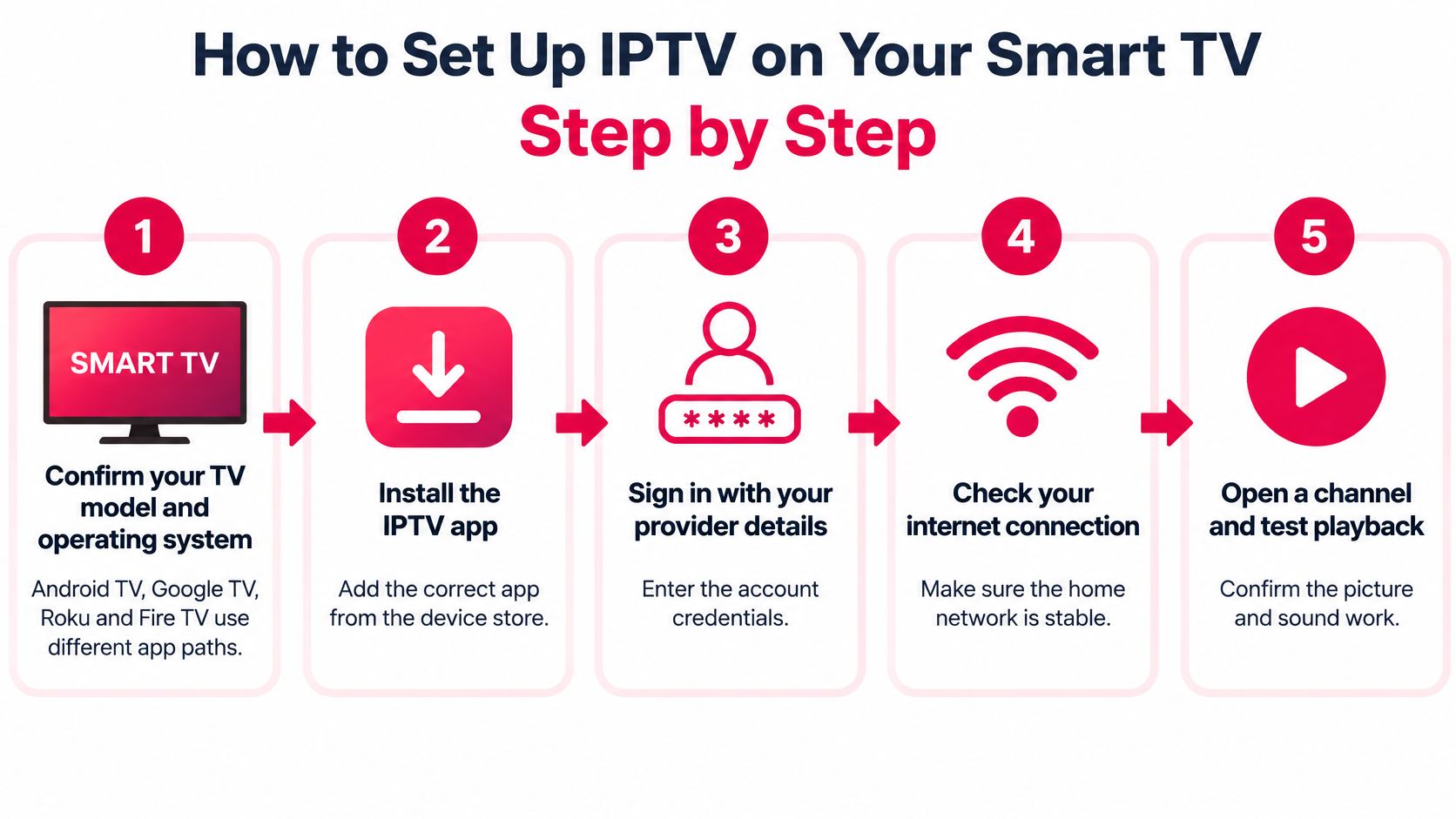
- Confirm the model and operating system. Android TV, Google TV, Roku, and Fire TV use different stores. The wrong store search wastes the evening.
- Connect by Ethernet or 5 GHz Wi-Fi. A stable link matters more than a faster package name on the bill.
- Install the player from the official store, or follow the provider's own instructions. Unknown sideloaded files are how accounts and devices get into trouble. Published guides cover Firestick, Google TV, and Apple TV.
- Enter the activation code or portal details sent after purchase. Access is available as soon as the subscription is bought, so you aren't waiting on a mail-order box.
- Load the channel list and programme guide, then check the time zone. A wrong zone is the usual reason a guide looks hours off.
- Test one live channel, one on-demand title, and a channel change in the hours you watch.
- Write down which device uses which connection. A family can blow past the simultaneous-connection allowance without noticing.
A good first evening looks ordinary. One live channel holds, the guide is readable in local time, and a title starts without a long pause.
The longer walk-through, including player choices, sits in our IPTV installation guide for major devices.
If the stream buffers, check Ethernet or 5 GHz before you swap apps. If the guide is out of sync, set the province's time zone. If activation fails, contact support with the device model and the code. A short visual of the same idea:
Live TV, Programme Guides and On-Demand Explained
Three layers sit on the screen, and they fail in different ways.
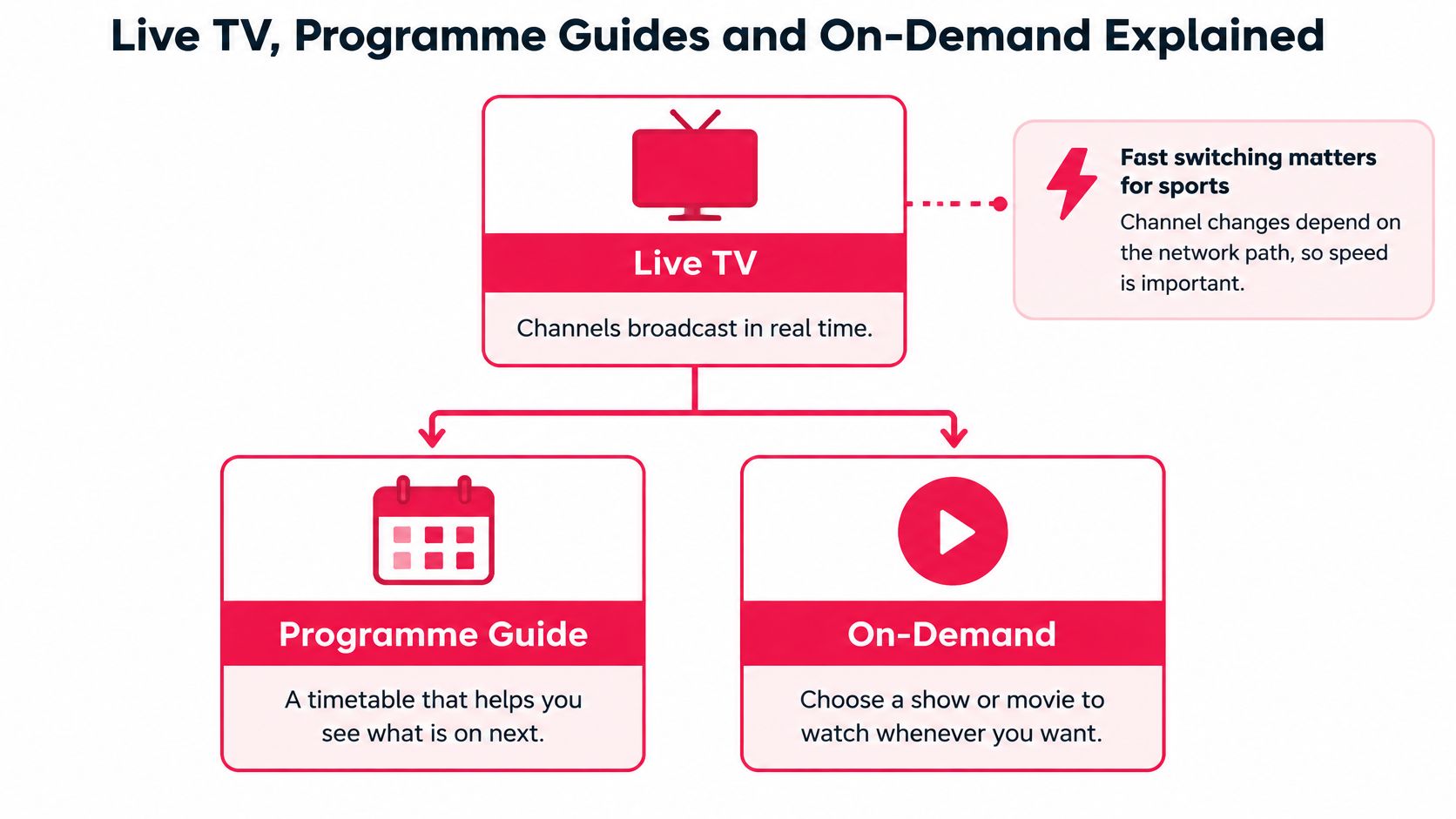
Live TV is a timetable. Channels run in real time, and a channel change depends on the path between the player and the server. That switch is what you notice during a game, not during a paused film.
The programme guide, often called the EPG, is the schedule board on a station wall. It shows what's on now and next. A guide that lags, or that shows Toronto times in Halifax, makes a working service feel broken.
On-demand is a library shelf. Films and series sit there until you press play, usually sorted by country, genre, release year, or popularity. Catalogue totals shift between pages, so judge the shelf you can open, not a headline count.
One household, three uses
A parent watches hockey live. A teenager catches a series on demand. A grandparent keeps a news channel in a second language. One subscription can cover those habits only if each layer is present.
Trial checks
- Live categories you use: Count channels in those groups, not the grand total.
- Guide times: Match them to your province, whether you're in Atlantic, Eastern, Central, Mountain, or Pacific time.
- On-demand start: A title should play without a long buffer.
- Languages: Quebec viewers should see the French-language channels they need in the list during the trial, not only in marketing text. The same rule applies to any other language you listed as a reason to switch.
Checking Sports, Rights and Reliability Before You Pay
A stream can look fine for ten minutes and vanish in the second period. That happens most often with live hockey, football, MMA, and pay-per-view. Installation guides rarely mention it. Since 2021, traditional-TV viewing has declined by an average 5.9% a year while online streaming grew 18.4% a year, according to CRTC figures discussed in a Yale Journal on Regulation analysis of IPTV's legal status in Canada. More people are choosing streams, so a rights gap is a household risk, not a footnote.
Licensed services hold the broadcasting and copyright permissions for what they carry. Unauthorised services redistribute broadcasts without permission. Canadian courts and rights holders have used ISP blocking against unauthorised operations. A blocked domain is a dark screen on game night.

Checks before you pay
- Name the operator and the billing entity. The official site is iptvrove.ca. If the checkout name doesn't match, stop.
- Ask in writing which Canadian channels and pay-per-view events are covered, and on what rights. A service that can't explain next season's games may not carry them.
- Read the Terms of Use, including refund and support terms. Questions go to contact@iptvrove.ca.
- Walk away from crypto-only checkout or a demand to sideload an unknown app.
- Test at your peak hour, ideally during a live game, not at 10 a.m. on a quiet weekday.
- Watch for domain swaps or channels that disappear in a block. That's a continuity problem, not a Wi-Fi glitch.
Don't hunt for a workaround when a channel isn't licensed for you. A missing right is a reason to choose a different service, not a setting to bypass.
Working Out the Real Monthly Cost at Home
Cutting one large bill often means adding several smaller ones. Canadian streaming prices rose by an average of 7% in 2025, while 48.5% of households had no cable, satellite, or telecom television subscription by the end of that year, CityNews reported. In related findings, 37% of Canadians cancelled at least one streaming service in the previous six months, and 66% of those cancellers cited saving money. Ad-supported plans saved about 42% versus ad-free tiers in some comparisons. Cord-cutting doesn't lower spending by itself.
Fill this from your bills
Leave dollar amounts blank until you read them on the current plan page and on your own statements. A price in a comparison article goes stale.
| Cost item | Duplicated by IPTV plan? |
|---|---|
| Cable, satellite or telco TV bill | Yes, where the same live channels are in the plan |
| Streaming video subscriptions | Only for titles you would stop paying for separately |
| Sports or pay-per-view add-ons | Yes, when that event is included |
| Faster internet plan if bandwidth is short | No |
| Taxes shown at checkout | No |
| IPTV plan for chosen simultaneous connections | Not applicable |
Say a family in Calgary pays for telco TV, two streaming apps, and a sports add-on. Mark every line the IPTV plan would replace. Divide what's left by the people who watch. A multi-connection plan can beat separate logins for that family. A single viewer often doesn't need more than one connection.
Three costs hide outside the headline. Taxes appear at checkout. A faster internet tier is a real extra if evening tests fall short, and you can find typical home internet prices before you assume the upgrade is small. A second service bought because the first missed a game wipes the saving.
Will this plan lower the household's total annual viewing cost once duplicates and sports are counted? If the answer is no, keep the current stack.
Test ROVE IPTV on Your Own TV Before You Subscribe
Once the devices and the evening speed test line up, test on your own television. ROVE IPTV's support team is Canadian-based, a free trial is listed on the website, and a subscription is accessible immediately after purchase. Nothing here promises a stream that never stalls.
- Count the screens that will play at the same time.
- Match the simultaneous-connection allowance to that count, and compare one, three, six, and twelve month terms on the plan page.
- Start with the free IPTV trial for Canadian viewers and set up the first device.
- Test in the evening window, with the rest of the household online.
- Confirm the device list matches the hardware you own.
- Decide using the capacity you measured and the worksheet, not the trial's quiet hour.
Check plan details, trial terms, and taxes on the official site before you pay. A trial can show one live channel, the guide, and a sports stream. It can't promise a full season.
Frequently Asked Questions About IPTV on Smart TVs in Canada
Will IPTV work on an older Smart TV?
It can, if there's a free HDMI port for a streaming stick or a dedicated box. Use the device-path table before you buy another set.
What if a channel disappears mid-season?
Treat it as a rights or continuity signal. Read the provider's notices and ask support in writing before you renew.
Can I watch in French in Quebec?
Open the French-language list during the trial and confirm guide times match your zone. Marketing text isn't the list.
Why does buffering show up only in the evening?
Shared congestion at peak is the usual cause. Measure at the TV while the household is online, not from a laptop at breakfast.
Can one subscription cover a second TV?
Only up to the simultaneous connections on the plan. Count screens that will run together, including a phone during a game.
Is a free trial enough?
It's enough to judge one live channel, the guide, and a live sports stream on your network. It isn't a forecast for every playoff night.
ROVE IPTV is built for Canadian households that want live channels, sports, and on-demand titles on the Smart TV they already own, with a connection allowance that matches how many screens run at once. Use the evening speed test and the cost worksheet before you commit, then try the service on your own set. Visit ROVE IPTV to compare current plans, trial terms, and device notes.

2 Responses
**TraceEagle — Free, All-Platform Network Packet Capture & Debugging Tool**
– Raw packet capture at the NIC level: DNS, QUIC, TCP/UDP — nothing slips through, granularity on par with Wireshark
– Auto-decrypts on capture: no proxy setup, no key import, no environment config — ciphertext becomes plaintext instantly
– Built for the hard cases: no jailbreak, no cert install, bypasses certificate pinning, decodes HTTP/3 & QUIC
– Full debugging toolkit: breakpoint editing, request replay, one-click load testing (true p99), reverse-engineer OpenAPI from traffic, generate code
– AI-powered capture: built-in MCP service exposing 40+ tools as APIs — let your AI assistant capture and debug on demand
Free across all platforms. Perfect for integration testing, mobile app debugging, API security, load testing, and network troubleshooting.
**TraceEagle — Free, All-Platform Network Packet Capture & Debugging Tool**
– Raw packet capture at the NIC level: DNS, QUIC, TCP/UDP — nothing slips through, granularity on par with Wireshark
– Auto-decrypts on capture: no proxy setup, no key import, no environment config — ciphertext becomes plaintext instantly
– Built for the hard cases: no jailbreak, no cert install, bypasses certificate pinning, decodes HTTP/3 & QUIC
– Full debugging toolkit: breakpoint editing, request replay, one-click load testing (true p99), reverse-engineer OpenAPI from traffic, generate code
– AI-powered capture: built-in MCP service exposing 40+ tools as APIs — let your AI assistant capture and debug on demand
Free across all platforms. Perfect for integration testing, mobile app debugging, API security, load testing, and network troubleshooting.
Try it → [https://traceeagle.com/](https://traceeagle.com/)