

The usual 4K IPTV advice in Canada is tidy: run a speed test, see 25 Mbps, count the channels, pick a plan. Standard checklists measure a speed test; a living room needs more.
A sharp Saturday night hockey game comes down to three household results. The feed has to be real 4K, the Wi-Fi path has to carry it to the television with headroom, and the monthly data allowance has to survive the hours you actually watch. Measure those before paying, and the plan choice stops being a guess.
Table of Contents
- What 4K IPTV Actually Delivers on Your Screen
- How Much Internet Speed a 4K Household Needs
- Data Caps and Monthly Usage for 4K Viewing
- Devices and Apps That Show 4K Properly
- Stream Features That Matter Beyond Resolution
- How to Test an IPTV Service Before You Commit
- Confirm Your Setup and Choose the Right Plan
What 4K IPTV Actually Delivers on Your Screen
Two services can both advertise 4K and look nothing alike on the same television. The label describes the size of the frame (3840 x 2160 pixels), and says nothing about how much real detail fills it. A native 4K feed starts as 4K from the camera or the film master and travels at that size. An upscaled feed starts as HD and gets stretched to fill the same frame, so it looks cleaner than standard HD while adding no real detail.
What the pixels actually buy you
A mosaic makes the arithmetic obvious. Full HD at 1920 x 1080 lays roughly 2.1 million tiles on the screen. A 4K panel lays four times as many, about 8.3 million. A 720p picture at 1280 x 720 uses fewer than half the tiles of Full HD, which is why it holds up on a phone and looks soft across a 65-inch panel.
| Resolution | Pixels (width x height) | Typical bandwidth per stream (planning range) | Best for |
|---|---|---|---|
| 720p HD | 1280 x 720 | about 3-5 Mbps | Phones and small secondary screens |
| 1080p Full HD | 1920 x 1080 | about 5-8 Mbps | Standard living room TVs at normal viewing distance |
| 4K Ultra HD | 3840 x 2160 | about 25-30 Mbps | Large screens and live sports on a well-tested connection |
Treat the bandwidth column as a working household budget rather than a lab measurement. Compression, frame rate and how busy the scene is all slide a stream around inside its range, which is why live sport sits near the top of its band and slower content sits nearer the bottom.
Bandwidth climbs with the tile count, so a single 4K stream draws several times the bandwidth of a Full HD stream. IPTV also sends video over the same connection your household uses for everything else, and the player adapts when throughput dips: it steps the resolution down instead of stopping. That is sensible engineering and a poor substitute for headroom. A hockey game on a 65-inch screen from the sofa either resolves crowd detail, jersey numbers and the scoreboard, or it does not.
The format now anchors a large share of Canadian viewing. 33% of Canadian households consumed content exclusively through streaming platforms in 2025, up from 29% in 2024, according to CRTC broadcasting data, while 62% still subscribed to traditional television and 76% to a subscription video-on-demand service in the CRTC's 2024 broadcasting report. Live channels and on-demand catalogues now share one household.
So when you evaluate a service, name the program. Ask whether that specific channel or film is offered in 4K, because the word on the sales page tells you very little on its own.
How Much Internet Speed a 4K Household Needs
The two Canadian reference points sit close together. The CRTC lists 25 Mbps as the minimum for a single Ultra HD 4K stream, while CIRA's Canadian guidance uses 30 Mbps for 4K video, as recorded in CRTC broadband and mobile reporting. Read either figure as a floor for throughput, never as a promise of smooth playback.
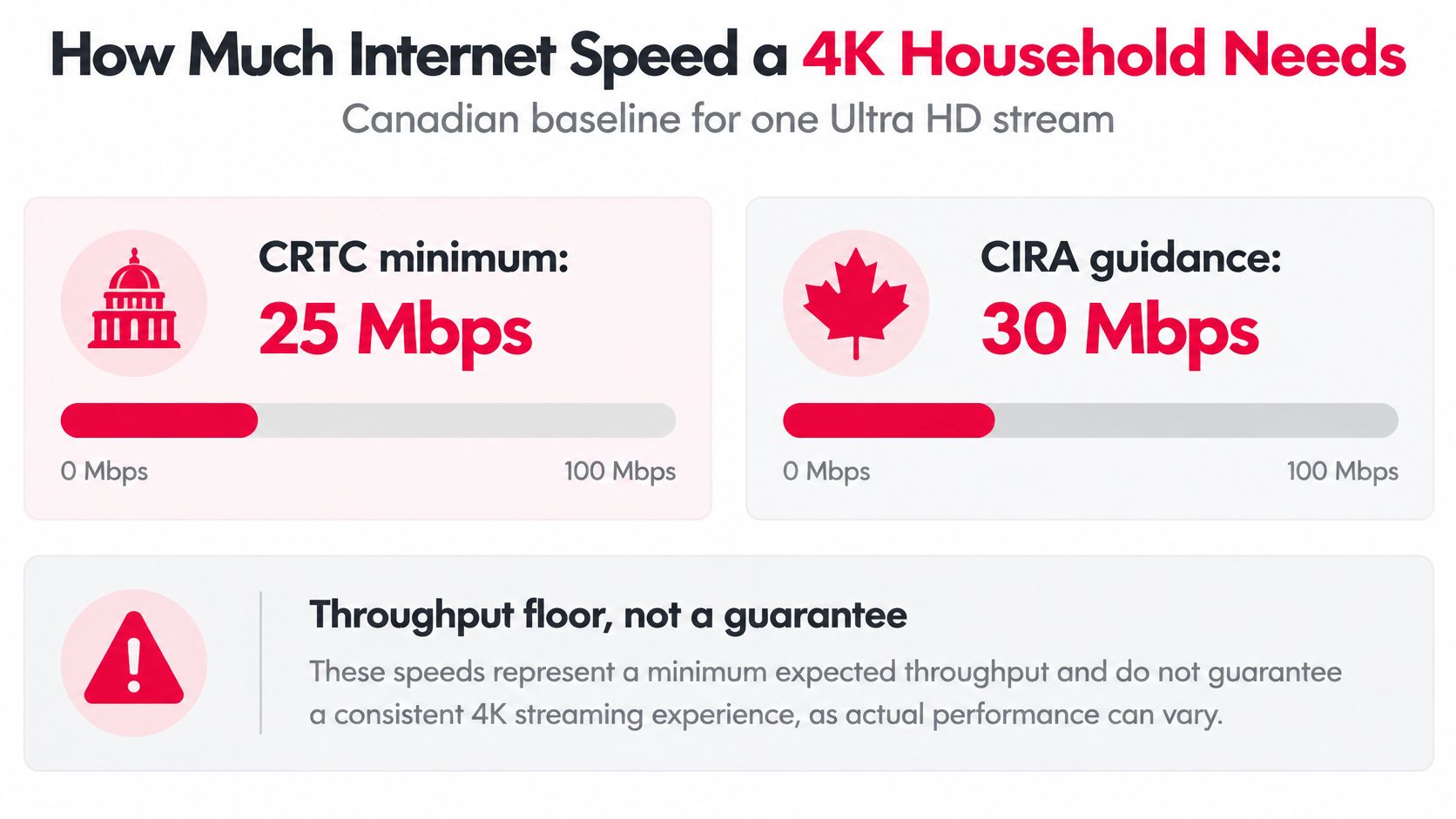
A floor leaks. Wi-Fi contention, router limits, ISP congestion, server load, latency and the decoding chip inside your streaming box each take a slice of the margin you assumed you had. That's how a household passes a speed test at the modem and still watches a soft picture in the den.
What the requirement looks like across a household
| Household scenario | Simultaneous 4K streams | Nominal download need | Suggested connection target |
|---|---|---|---|
| One TV watching 4K | 1 | 25-30 Mbps | 50 Mbps or more |
| Two TVs watching 4K | 2 | 50-60 Mbps | 100 Mbps or more |
| Three 4K streams plus gaming | 3 | 75-90 Mbps | 150 Mbps or more |
| Four 4K streams plus video calls | 4 | 100-120 Mbps | 200 Mbps or more |
The pattern is the point. One 4K screen sits comfortably inside a 50 Mbps line. Two of them, ordinary in a house where a game and a film run at once, need 50 to 60 Mbps before gaming, cloud backups, software updates or video calls are counted at all.
Practical rule: add up every 4K stream your household might run at once, then shop for roughly double that total. Headroom is what keeps the picture from stepping down in the third period.
Give the television or streaming box a wired Ethernet run, or strong 5 GHz or 6 GHz Wi-Fi in the same room. Adaptive bitrate delivery helps during a brief dip, but it can't hold full 4K through a sustained capacity loss. If more than one screen matters in your house, running IPTV on multiple devices in Canada explains how to count connections before you choose a plan.
Why access figures don't settle the question
National availability looks reassuring. Statistics Canada's quality-of-life indicator puts access to 50 Mbps download and 10 Mbps upload at 97.1% of households in 2024, up from 95.8% in 2023, as reported in the CRTC's 2024 communications monitoring report. Most homes in Ontario and Quebec can buy a line that carries 4K.
Reliability is measured differently. CRTC consumer research found that only 56% of Canadians agreed they could rely on high-speed internet where they live, and 15% reported a home-internet disruption lasting at least 24 hours, according to the CRTC's consumer research report. Outside major centres especially, check what your own address receives rather than what the package promises.
Test on the device, at evening peak, before you commit. When the weak link turns out to be the home network rather than the provider, the router-placement and interference fixes in this guide to fix slow UK broadband apply to a Canadian basement just as well, because walls and channel congestion behave the same way on both sides of the Atlantic.
Data Caps and Monthly Usage for 4K Viewing
A sharper picture arrives with a bigger data bill. The CRTC reports that video services can consume as much as 5 GB per hour at 4K quality, and its broadband testing found stability depends on more than the access line, including network congestion, latency, server load and device capability, per the CRTC communications monitoring report.
| Viewing pattern | One 4K stream | Two simultaneous 4K streams |
|---|---|---|
| 10 hours | about 50 GB | about 100 GB |
| 24 hours continuous | about 120 GB | about 240 GB |
| 30 hours | about 150 GB | about 300 GB |
| 60 hours | about 300 GB | about 600 GB |
Turn those rows into evenings. Ten hours of 4K is about 50 GB, so a household watching a film most nights can cross 150 GB inside a month without trying. A continuous 24-hour stream reaches about 120 GB, and 30 hours, roughly an hour a night, lands near 150 GB. Add a second 4K screen for a Saturday double-header and every line doubles.
That's why an unlimited-data plan matters more for 4K than for browsing, email and video calls. It also explains why the CRTC reports Canadian monthly data consumption rising substantially since 2019, partly because of HD and 4K subscription video services.
The check that settles it for your household
Measure the router's WAN usage across a representative 4K program, then compare the result with your ISP's monthly allowance. In the app, watch for rebuffering or repeated quality drops, which show the connection being pushed harder than it can sustain.
The numbers look contradictory until you do the arithmetic. 5 GB per hour averages about 11 Mbps across the hour, well under the 25 to 30 Mbps planning figure, because that figure covers bitrate peaks and headroom rather than average use. If your usage runs high, set smaller screens to adaptive quality instead of forcing 4K. Data drops, playback smooths out, and nobody in the room notices on a 43-inch panel.
Devices and Apps That Show 4K Properly
A 4K feed looks like 4K only on hardware that decodes it and passes it through cleanly. The chain has several links, and the weakest one sets the picture you see.
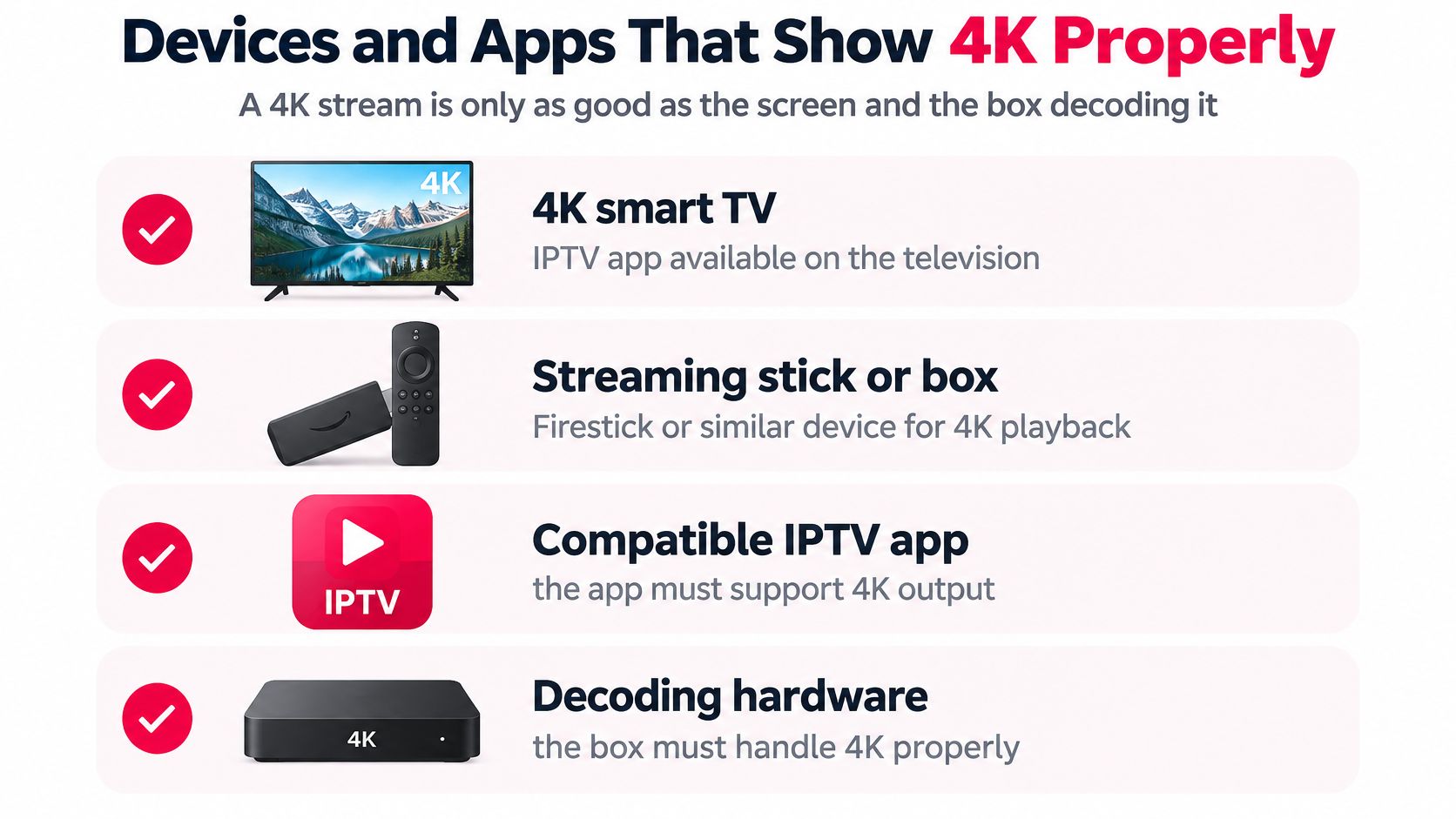
Most modern 4K televisions decode the format themselves, so a smart TV running the app needs no extra box. Where the app isn't offered, a streaming stick or box takes over: Firestick, Android TV, Apple TV, Roku or Chromecast. An HD-only stick will play a 4K feed at HD at best, or stutter through it.
Phones and tablets belong on the subscription for a different reason. They're excellent for a bedroom or a commute and useless for judging 4K quality, because the screen is too small to show the difference.
The two-minute walkthrough below shows display settings being changed on a streaming device, which is where most 4K problems start.
Check the chain before you buy
- Decoding support: the box has to handle 4K video, typically HEVC, at full resolution. A device that advertises 4K output but ships with an older chip will drop frames on fast motion.
- The HDMI path: a 4K signal at 50 or 60 frames per second normally needs an HDMI 2.0 or newer port at both ends, plus a high-speed cable. Some televisions accept 4K on only one or two inputs, so read the labels on the back.
- The output setting: many boxes ship set to 1080p. Change it to 2160p once after setup and that particular problem disappears.
- The network path: wired Ethernet is the reliable choice. Where the box has no LAN port, a USB Ethernet adapter does the same job, and strong 5 GHz or 6 GHz Wi-Fi in the same room is second best.
- Connection count: a subscription allows a set number of simultaneous connections. Count the televisions and phones that watch at the same time before comparing plans.
On a Chromecast or Google TV device, the display settings decide whether it outputs 2160p at all, and our Google TV and Chromecast setup notes cover where to look. For the hardware side of the same decode-and-output chain, DigiDevice's notes on true 4K Netflix playback walk through it from the box out.
Supported device lists change with app releases, so confirm the current one before you buy hardware you don't already own.
Stream Features That Matter Beyond Resolution
Once a feed is 4K and the connection carries it, the features that decide whether you enjoy the service are unglamorous. Stability comes first, and everything else is judged against it.
Adaptive quality steps the picture down instead of freezing when throughput falls. That's the difference between a slightly softer minute and a dead screen during a power play.
The program guide has to be right, and right means accurate start times across Canadian time zones from Atlantic to Pacific. A guide running an hour off turns channel surfing and recording into guesswork.
Categories and search decide how fast you find something. News, sports and kids grouped sensibly, plus search that accepts a team name, beats a flat list of thousands of entries every time.
A channel count tells you how many rows a list holds. The guide tells you whether the list is any use at 7 p.m. on a Tuesday.
Buffering and freezing aren't the same fault
Buffering is a short pause while the player refills its cache, and it usually recovers on its own. Freezing is a stall the app doesn't climb out of, which needs a channel change, a device restart or a different connection. Live sports test both hardest, because you can't pause them and you can't skip past the gap.
Language and guide accuracy
Canadian viewing runs in two languages and the estimates show both growing. CRTC consultation material puts estimated online television viewing at 7.08 hours a week for English-language viewing and 5.50 hours for French-language viewing in 2025, up from 3.82 and 2.30 hours in 2017, per the CRTC's television programming consultation. Households in Quebec and francophone communities elsewhere should check French categories and guide language before judging a lineup by its size.
The same material notes that Canada lacks a single standard cross-platform measurement system, so treat those hours as estimates rather than a census. The direction still tells you something: more of the week goes to television delivered over an internet connection, in whichever language the household speaks.
How to Test an IPTV Service Before You Commit
Run these in order, and run the important ones between 8 and 10 p.m., when your neighbourhood streams at once. A service that behaves at noon tells you very little about a Saturday night.
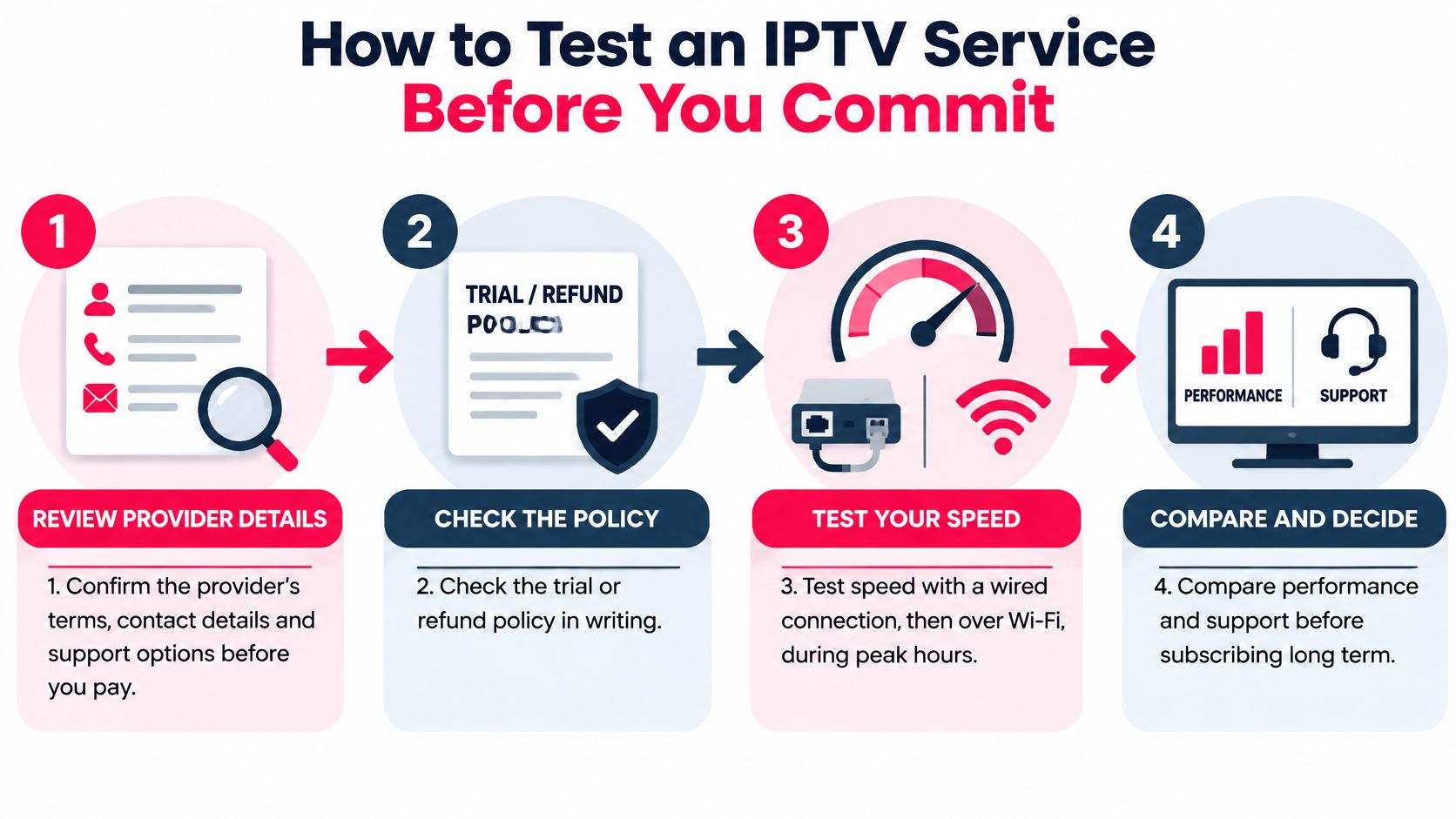
- Confirm the provider's terms, contact details and support options before you pay. You want a named business, a working contact route and privacy terms you can read. The common slip is judging a provider by its channel banner and nothing else.
- Get the trial or refund policy in writing. Screenshot the terms and note the dates, because a trial that begins at 9 a.m. covers a single evening. Our IPTV free trial in Canada explains how the window works so you can plan a real test.
- Test speed twice, wired first and then over Wi-Fi. Do it on the television itself rather than a phone in the same room, because the phone sits on a different radio path and flatters the result.
- Watch a live sports event and a 4K film, then take notes. Count freezes, quality drops and how long each recovery takes. A 30-second clip plays from a full buffer, so it can look perfect on a connection that falls apart by the second period of a hockey game.
- Read the program guide against a clock. Check start times, time-zone handling and whether the categories and language filters match the household.
- Send a support question and time the reply. Ask two specific things: what delay is typical during live sports, and how outages during a live event are handled. Step-by-step setup instructions arrive with every ROVE IPTV subscription and the Canadian-based support team runs 24/7, so an answer should come back in your own time zone.
- Confirm the simultaneous connection allowance and test each device. Install on every screen you intend to use, run two at once, and see whether the second one degrades.
- Keep the notes. A written record of what worked on which device turns a vague feeling into a decision you can defend.
The rights question behind the channel count
IPTV is a delivery technology, in the same family as a web browser or a streaming app. The legal question sits with the provider's rights and terms, not the delivery method, and a long channel list proves nothing on its own.
Demand explains why this matters. More than 90% of Canadians streamed video in a survey released in early 2025, according to Canadian video-on-demand market data. Demand on that scale attracts operators who skip rights clearance, and enforcement agencies continue to flag Canada as a market with large-scale unauthorized IPTV resellers. That is what makes the questions below worth asking before money changes hands.
Ask where the rights come from, what happens when a channel disappears mid-season, and whether "backup streams" mean a separate feed or just a duplicate of the same source. A provider that answers clearly, in writing, is easier to trust than one that answers with a bigger number.
Confirm Your Setup and Choose the Right Plan
The reliable plan is the one that still looks ordinary on your busiest night: the big game in the living room, a second screen in the kitchen, phones casting in the background. Choose for that evening and the quieter nights take care of themselves.
Use the measurements from earlier as filters, not as trophies. A connection can look fast at noon and still sag when the neighbourhood streams at 7 p.m.; a television can say 4K and still downscale an app; a cap can sound generous until one weekend of sport eats through it. The household result is what counts: stable picture, clean guide, no second-screen drop.
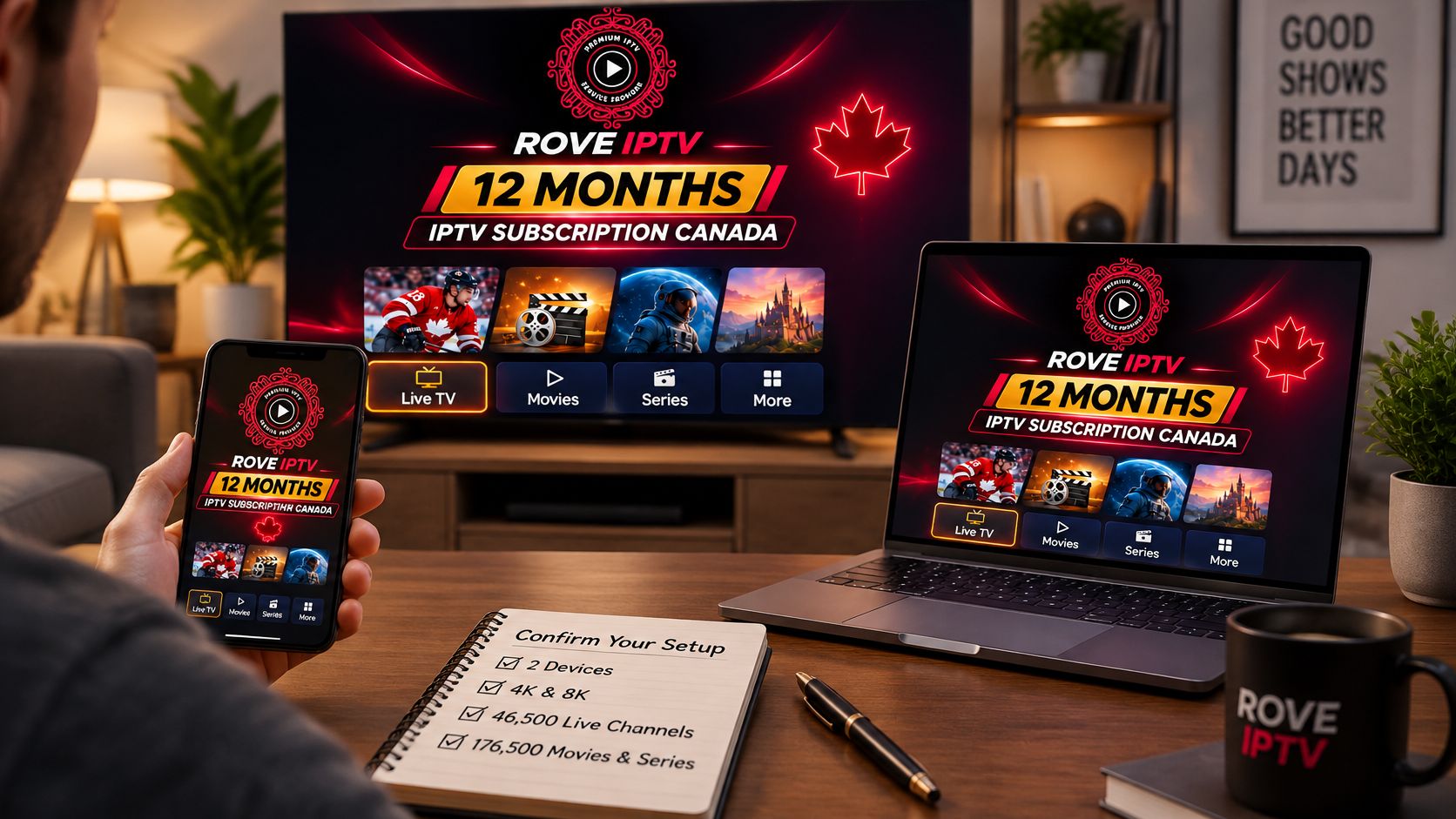
Plan size follows simultaneous screens, and term follows confidence. ROVE IPTV sells subscriptions by duration and connection count, with one to five simultaneous connections, no contracts or automatic payments, and prices shown in Canadian dollars with applicable taxes included. If a two-screen annual plan fits your household, the 12 Months IPTV Subscription Canada – 2 Devices option covers a full year across two devices, backed by live channels, sports and the on-demand library rather than a headline inventory count.
| Household pattern | Connections to start | Term that makes sense | Pre-payment check |
|---|---|---|---|
| One main TV, light weeknight viewing | 1 | 1 or 3 months | Run the 24-hour trial on the main screen and confirm the app, guide and search behave at 4K. |
| Two rooms used most nights | 2 | 3 or 6 months | Play both screens during a live event and watch for adaptive quality drops. |
| Family viewing or sport weekends | 3 to 5 | 6 or 12 months after testing | Test the busiest overlap first, including backup TSN or Sportsnet behaviour and the refund window. |
Commercial details change, so verify the Canadian-dollar price, trial conditions and simultaneous connection allowance on the live site on the day you read. The official ROVE IPTV website is iptvrove.ca, where the free trial option is listed for an evening test; the 24-hour trial provides access without a credit card and the site advertises a seven-day money-back policy. Compare the plans and current device list at ROVE IPTV and pick the connection count your household uses.

No Responses