
Approximately 40% of Canadians watched sports on traditional television during the previous month in 2025, while fewer than 10% consumed sports through online sports services, according to the CRTC's broadcasting report. That's a useful correction to the idea that Canadian sports viewing has already moved entirely to streaming.
For anyone comparing IPTV sports in Canada, the decision isn't cable versus an app. It's whether a service is authorized to carry your games, whether your connection can sustain the picture quality, and whether everyone at home can watch simultaneously. Complete the licensing check before running a trial or making any payment.
Table of Contents
- Sports Channels to Check Before You Subscribe
- How IPTV Sports Streams Differ from Other Options
- Overlapping Sports Subscriptions and Real Monthly Costs
- How Much Bandwidth a Live Game Needs
- Latency, Jitter and Rural Connections
- Devices and Simultaneous Streams at Home
- Confirm the Service Is Licensed Before You Pay
- Test a Service and Choose Your Plan
Sports Channels to Check Before You Subscribe
Which games must a service carry for the teams you follow? Start with that question, not the size of its channel catalogue.
Sports coverage needs and what to confirm
| Coverage need | Canadian rights context | What to confirm before buying |
|---|---|---|
| National NHL games | Sportsnet identifies itself as the official Canadian national multimedia rights holder for the NHL | Confirm the national games appear in the lineup |
| Toronto Maple Leafs games | Sportsnet identifies itself as an official regional television rights holder | Confirm the Toronto feed loads on test day |
| Oilers, Flames or Canucks games | Sportsnet identifies itself as the official regional rights holder for each team | Confirm the team's regional feed for your province |
| TSN and Sportsnet channels | Channel brands alone don't establish rights to each scheduled event | Confirm the required channels appear and play live |
| Pay-per-view events | Event-specific distribution authorization must be confirmed with the provider | Confirm the event is listed before purchase |
| French-language feeds | Language-specific rights and distribution must be confirmed with the provider | Confirm the feed exists for the league you follow |
Sportsnet's published company information identifies its national NHL multimedia rights and regional television rights for the Calgary Flames, Edmonton Oilers, Toronto Maple Leafs and Vancouver Canucks. Those distinctions make team, market and broadcast type more useful buying criteria than a generic hockey category.
Read the lineup as a schedule, not an inventory
For national NHL games, check the actual scheduled broadcast. A national sports channel loading successfully doesn't establish that every game you want will appear there.
For Toronto Maple Leafs coverage, test the feed carrying the particular fixture. A viewer in Ontario should record the opponent and broadcast date rather than checking a Toronto-labelled channel.
For Oilers, Flames and Canucks broadcasts, identify the regional feed available to your province. Don't assume access intended for another market applies to your household.
For TSN and Sportsnet, inspect the individual channels you need. Our Canadian live-sports viewing guide can help organise that comparison, but the scheduled game remains the decisive check.
For pay-per-view, request confirmation of the named event and any separate purchase requirement. A permanent PPV category isn't evidence that a particular card is included.
For French-language viewing, verify the league, commentary language and live feed. Quebec households shouldn't have to infer French coverage from an English-language listing.
Cross-border schedules require separate checks. For a match such as América versus Chivas, Fair Play Feed can help readers find US and Mexico streaming options, but those options don't establish Canadian availability.
Before paying: list your priority teams and leagues, test the relevant lineup entries on the day, and record every missing game or language feed.
How IPTV Sports Streams Differ from Other Options
IPTV describes a delivery technology, though Canadian regulatory terminology is narrower than everyday marketing. The CRTC generally distinguishes managed IPTV services, such as Bell Fibe and Telus Optik TV, from internet-based services such as Netflix, Crave and Club Illico.
That distinction matters when comparing subscriptions. A managed product travels a network the provider controls end to end, while an internet-delivered package competes for capacity on the public connection you share with everything else in the home. The rights arrangements and service characteristics behind each option differ accordingly.

Follow the signal to the screen
A simplified live-stream path is:
Provider servers → internet connection → home router → Ethernet or Wi-Fi → player and screen
The provider must deliver video segments promptly. Your internet connection must carry them consistently, the router must share capacity among devices, and the player must decode and display the programme.
Ethernet removes the wireless hop from that path. Wi-Fi adds another variable, particularly when the television is far from the router or other devices are transmitting heavily. Changing providers won't necessarily fix a weak connection between the router and television.
Canadian viewers use more than one route
The CRTC's monitoring research on Canadian media use treats watching a sports television channel and holding an on-demand subscription as separate measures. A household can pay for a streaming service while still relying on a television package for live games, so a subscription count alone says nothing about which fixtures reach the screen.
Each viewing route deserves to be judged by the specific sports gap it fills. Start with an inventory: write down the television, league and streaming services you already pay for, mark the live events each one supplies, and list the fixtures none of them covers. That gap list defines exactly what a new subscription must add, and it stops you from paying twice for coverage you already have.
Overlapping Sports Subscriptions and Real Monthly Costs

A household that follows a Toronto team, a western Canadian team, a national league and selected playoff events can end up paying for a national sports streaming subscription, a regional package, a television channel bundle and occasional pay-per-view purchases at the same time.
That is a coverage problem, not a shopping list. The goal is the smallest authorized combination that meets those priorities, priced from actual bills rather than advertised bundle rates.
Canadian findings reported by Hashtag Investing put subscription streaming at 24% of respondents' preferred live-sports viewing in 2026, up from 20% in 2025, while linear broadcasting remained the largest option at 37%. The same page reports a separate Canadian industry survey in which more than 4.5 million adults subscribed to a live-sports streaming platform, a 4% year-over-year increase, and 11.4 million Canadians streamed a live sporting event during the year. Streaming is being added alongside television service rather than replacing it, which is exactly how overlapping charges accumulate.
Price the overlap before cutting it
Build a worksheet with a row for each required team, competition, language and playoff event. Assign each row to an authorized service, then mark the rows where two or more subscriptions cover the same fixtures. Those duplicated rows are the cancellation candidates.
Add a column for the charge on each service's actual bill. If cancelling an overlapping package loses no priority event, its verified charge leaves the proposed monthly total. If it carries an exclusive fixture the household still wants, the charge stays in. The sum of the remaining charges is the monthly cost of coverage, and the difference between it and the current total is the saving worth pursuing.
More channels only improve value when they replace something you need, not when they duplicate something you already have.
Work through this checklist before changing any plan:
- Coverage: Map every priority fixture to a confirmed service.
- Restrictions: Record regional blackouts and language limitations.
- Charges: Enter the amount on each current bill, plus separate event purchases.
- Cancellation: Check whether an existing package can be removed.
- Uncovered games: Flag fixtures that still require another viewing route.
A broad IPTV catalogue does not automatically eliminate subscription overlap; its channels still need to be mapped against the same fixture rows before it can be credited with replacing anything. Record CAD prices only after verifying them, and leave an unresolved cost visibly unresolved rather than estimating a saving you cannot substantiate.
How Much Bandwidth a Live Game Needs
Live sports stream bitrate and data use
| Stream quality | Typical bitrate | Data per hour | Two streams per hour |
|---|---|---|---|
| High-bitrate HD | 5–10 Mbps | About 1.8 GB | About 3.6 GB |
| UHD (4K) | 20–50 Mbps | About 6.7 GB | About 13.4 GB |
The CRTC's broadband measurement report provides the approximate bitrate ranges and hourly consumption estimates in this table; the simultaneous-stream totals are calculated by doubling the hourly estimates. At that UHD consumption estimate, a four-hour session uses approximately 27 GB, calculated before additional household traffic.
Treat the bitrate and consumption figures as planning references, not a promise that every service uses the same encoding. Don't interpret either as a measurement of the particular feed you're considering.
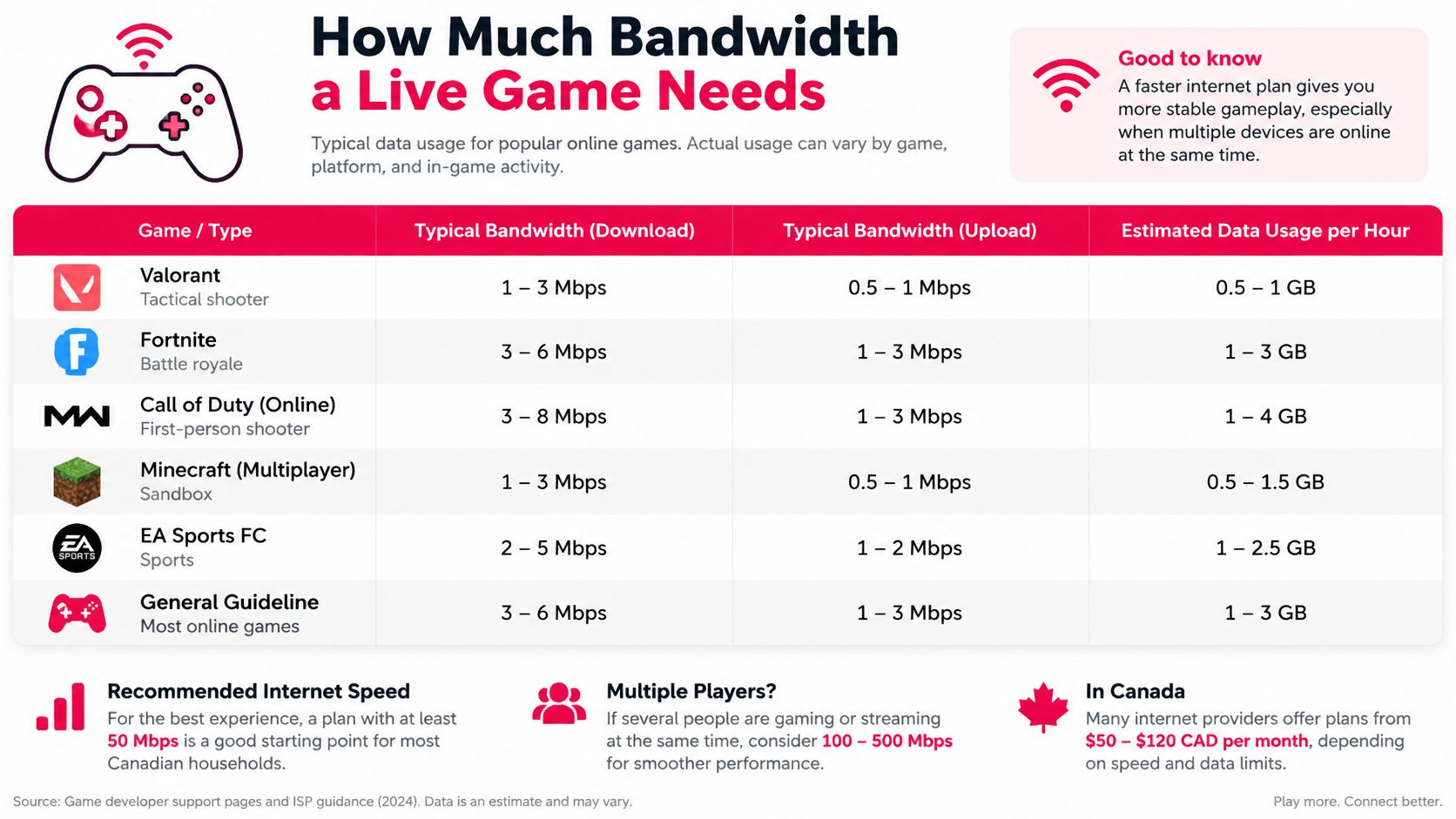
The accompanying graphic concerns gaming traffic. Use the live-video table, rather than gaming requirements, to plan sports-stream capacity.
Sustained throughput matters more than the package label
An advertised internet speed describes access capacity, not guaranteed delivery to the player throughout a match. For 4K IPTV, aim for stable available throughput comfortably above the stream's peak bitrate, with capacity left for other household activity.
Segment-based HTTP streaming delivers video in successive pieces. An adaptive bitrate ladder gives the player alternative quality levels when available throughput changes, but repeated downgrades still mean the household isn't consistently receiving its intended picture quality.
The CRTC measurement report also found tested broadband connections exceeded the maximum observed stream bitrates. That supports an important troubleshooting distinction: buying a faster internet package isn't automatically the answer when the bottleneck is Wi-Fi, stream encoding or delivery from the provider.
Check both capacity and the data allowance
Older CRTC communications monitoring figures put 4K streaming consumption at up to 5 GB per hour, equivalent to about 20 GB over four hours. Different estimates shouldn't be treated as universal limits; use the higher UHD estimate in the table when budgeting conservatively.
Run this household calculation:
- Count the screens: Include every simultaneous live feed.
- Add their bitrates: Use the intended quality for each screen.
- Leave headroom: Allow for video calls, downloads and normal traffic.
- Measure in the evening: Test near the actual television, then compare Ethernet where available.
- Check the allowance: Review the monthly cap on mobile or fixed-wireless plans.
Streaming consumes internet data even when conventional broadcast television wouldn't. Reducing resolution may be the practical choice when either throughput or the monthly allowance is limited.
Latency, Jitter and Rural Connections
Why can a connection pass a speed test yet stall during a game? A download result doesn't tell you whether video segments arrive at consistent intervals under load.
Jitter is variation in delay. When delivery becomes irregular, the player can exhaust its buffered video even though a short speed test looks satisfactory.
In CRTC fixed-wireless testing, average idle latency was approximately 37–39 ms, while latency under heavy usage reached 415 ms; the report identifies roughly 35–42 ms or lower as desirable for video streaming and notes that users more clearly notice problems above 100 ms. These network measurements aren't the same as the total delay between live action and your television picture.
Test the busy connection
A quiet-morning test can miss the conditions that matter during an evening game. Run ordinary household activity while watching, rather than disconnecting every other device to produce a flattering result.
For router troubleshooting, Celmin's QoS and firmware tweaks explained offers practical configuration context. Treat router adjustments as something to test and document, not a substitute for adequate connection capacity.
Rural and satellite households should be particularly cautious about extrapolating from a brief idle test. Test the access technology serving the home, without assuming it behaves like an urban wired connection.
A shorter player buffer brings you closer to live action. A longer buffer provides more resilience, but leaves you further behind the play.
Use a repeatable log:
- Timing: Test during the evening while the household is active.
- Screen: Watch on the intended television or streaming device.
- Events: Record the time of each stall and quality change.
- Buffer setting: Compare available player settings without changing everything at once.
Choose the buffer behaviour your household prefers. A slight delay may be acceptable for uninterrupted viewing, while synchronized conversations make that delay more noticeable.
Devices and Simultaneous Streams at Home
The living-room TV shows an NHL game, a bedroom tablet plays a second match, and a kitchen phone carries a third broadcast. A plan can register more devices than it allows to play at once, so the question for this household is how many streams run concurrently, not how many logins exist.
Household setups and the concurrency each needs
| Household setup | Streams at once | What to check in the plan |
|---|---|---|
| One viewer on one TV | 1 | Confirm the plan covers that device |
| Two rooms watching different games | 2 | Confirm two simultaneous connections |
| Family using a TV, phone and tablet | 3 | Confirm whether the limit counts registered devices or active streams |
| Five screens running at once | 5 | Confirm the highest connection limit and the bandwidth for all five |
Treat these as worked household scenarios, and check the concurrency allowance of a specific subscription separately.
Count playback, not logins
The three-screen household above needs three active connections. A plan permitting only two concurrent streams won't fit, even if all three devices can be registered and every login is accepted by the app.
The CRTC's broadcasting survey measures traditional television and subscription video-on-demand use as distinct categories. A household combining viewing routes should therefore weigh compatibility and concurrency alongside content, since each screen added at game time consumes a share of both the plan's connection limit and the home's bandwidth.
Verify the exact playback method
For smart TVs, Firestick, Apple TV, Roku, Chromecast, phones, tablets and computers, record the model, operating system and intended player. Support for a brand does not establish support for every generation or installation method.
Clarify whether viewing uses a native app, a compatible IPTV player or casting. Test subtitles, remote-control navigation and recovery after closing the app, not just whether the login succeeds.
The multiple-device IPTV comparison guide can help distinguish household requirements before you choose an allowance. Run this check before payment, in the same trial window used to confirm licensing, sustained bitrate and screen count.
Write down who watches what during the same evening. Match the number of active screens to the concurrency limit, then add each screen's intended bitrate to check whether the home network can support that arrangement.
Confirm the Service Is Licensed Before You Pay
How do you know a sports IPTV service has permission to distribute the feeds it advertises? Ask for a clear explanation of its authorization, not just screenshots of working channels.
A successful stream demonstrates access at that moment. It doesn't, by itself, establish permission to distribute the programme.
Keep a written vetting record
- Feeds and territory: Request written confirmation of the broadcaster feeds, leagues, regions and distribution authorization.
- Business identity: Look for a named business and a working support contact.
- Terms and privacy: Read both documents before submitting payment or personal information.
- Schedule checks: Compare advertised fixtures with rights holders' published schedules, including Sportsnet and TSN.
- Implausible promises: Treat every league, every game and every PPV event at an unusually low price as a reason for further scrutiny.
Our guide to IPTV legality in Canada provides additional context, but a general guide can't establish the authorization of an individual feed.
Don't use a service that relies on unauthorized copyrighted feeds or bypassing geographic restrictions. Rule out a provider that can't explain its content sources and distribution basis.
Our support team is Canadian-based, but support location isn't proof of content licensing. Complete the authorization check before beginning device tests, requesting trial access or paying.
Test a Service and Choose Your Plan
A useful trial recreates game night rather than demonstrating that a channel can open. Keep a written record so your decision rests on observed coverage and playback, not memory.
The CRTC's 2026 telecommunications report says nearly 90% of Canadian households had access to gigabit service, while rural communities and First Nations reserve areas remained well below the national average. National availability therefore isn't a reliable description of the connection at your address.

Run a documented viewing test
Confirm the fixtures. After completing the licensing check, locate your priority games in the live guide. Record missing feeds, regional restrictions and commentary languages.
Recreate household demand. Run the evening throughput test with every intended screen active. Note the connection method for each device and whether other household activity affects playback.
Install on the actual device. Follow the supplied setup instructions on your television, Firestick or other intended screen. We provide step-by-step instructions with every subscription, backed by 24/7 customer support.
Watch live action. Use a live game rather than a replay. Log stalls, picture-quality changes, audio problems and the affected device so support can distinguish a screen-specific issue from a feed-wide problem.
Check language and navigation. Test the programme guide, English and French audio where offered, subtitles and search. For international channels, search using the programme names your household uses.
Resolve the terms. Send questions about our Terms of Use to contact@iptvrove.ca before buying. Keep the response with your notes, especially where your decision depends on a particular usage condition.
Choose duration only after testing. Use the official site's free-trial option, confirming its current conditions before starting. If a two-device arrangement fits, compare the 2 Devices – 3 Months IPTV Premium Subscription Canada with the 12 Months IPTV Subscription Canada – 2 Devices, checking the current CAD price and connection terms on each page.
What counts as a passing result
Don't label an unexplained failure acceptable because another channel worked. Resolve the problem, repeat the relevant test and retain any coverage gap in your decision.
A trial result can demonstrate whether a plan fits your household under tested conditions. It can't guarantee future uninterrupted playback or replace evidence of licensing, and a catalogue count proves neither.
ROVE IPTV offers internet-based live television and on-demand content for Canadian viewers, with subscription choices based on duration and simultaneous connections. Visit ROVE IPTV to review compatibility and trial options, then complete the licensing, live-game and household-screen checks before committing.

No Responses